
Enveliq

A look around Enveliq

These are real screens from Enveliq, filled with made-up example mail. Nothing here is anyone's real email.

Parcels, in one place

Each order gets one card that moves from Ordered to Shipped, Out for delivery and Delivered. You never have to dig through emails to find where a parcel is.
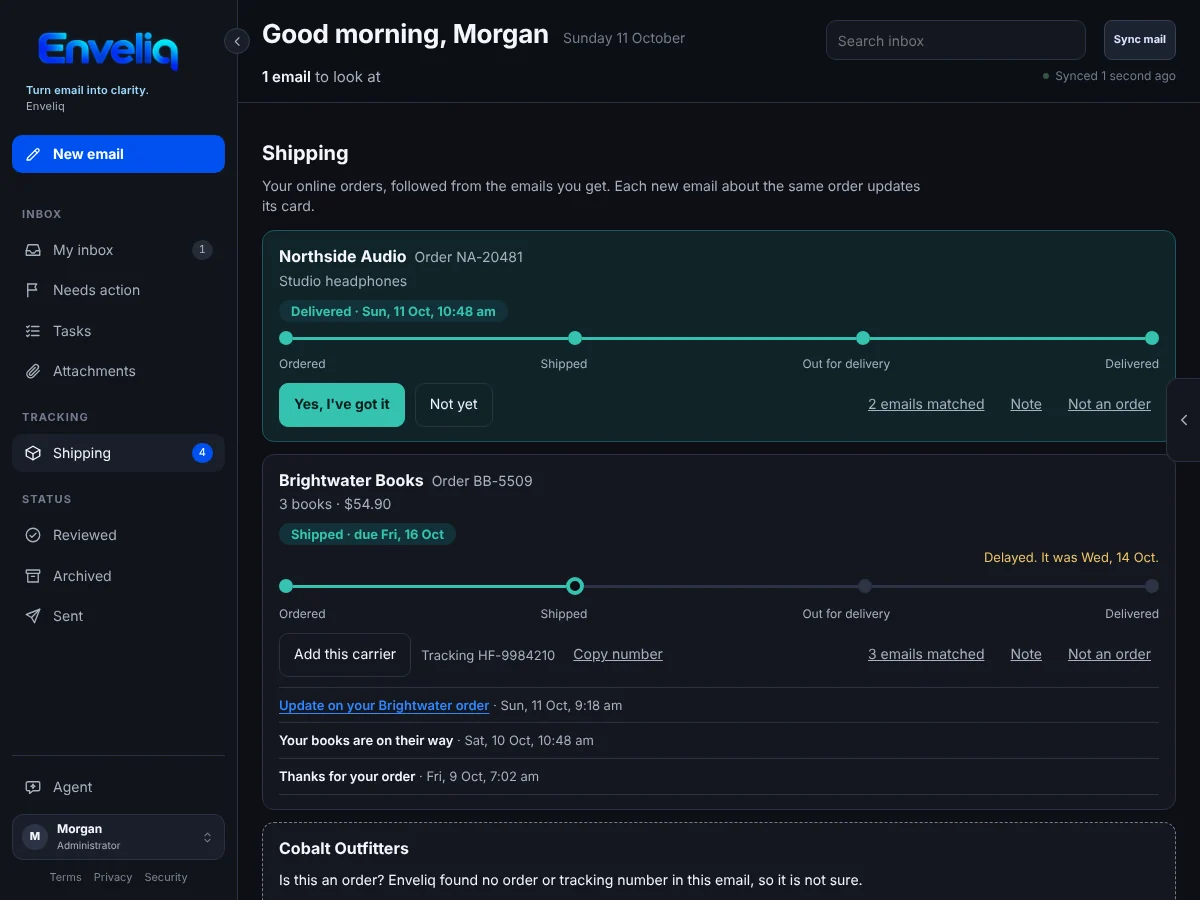
The Shipping page. An order from Northside Audio is shown as Ordered, Shipped, Out for delivery and Delivered. A second order from Brightwater Books is marked as shipped and delayed.
The Shipping page, with a card for each order.

One question when it matters

When a parcel should have arrived, a small card on the home page asks whether it did. One tap answers it, and the card goes away.
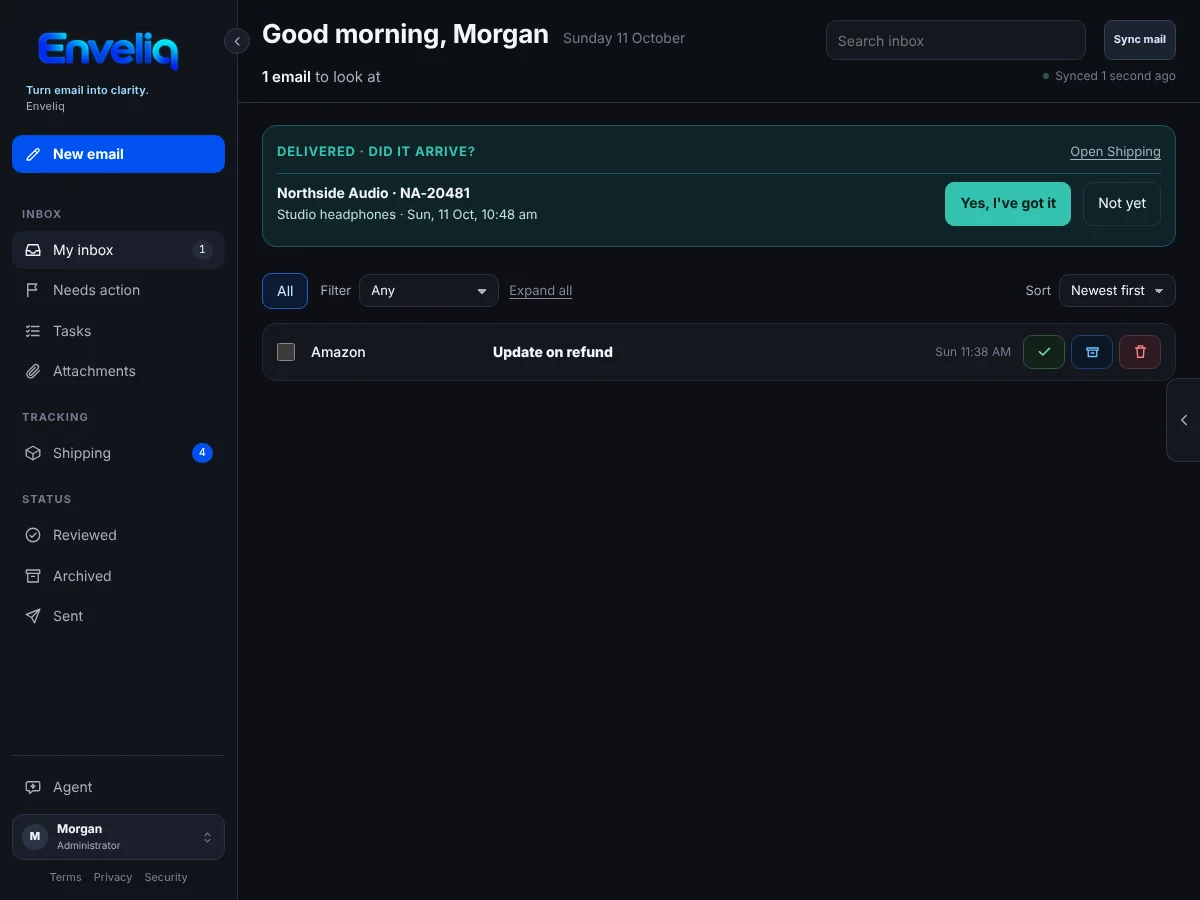
The home page with a card asking whether the Northside Audio parcel arrived, with buttons for Yes, I've got it and Not yet, above a short list of email.
The home page: a short list, and a question only when there is one.

Writing help that stays in its box

Press one button and the AI suggests a reply. It appears in its own box, labelled as written by AI, and nothing is sent until you press Send.
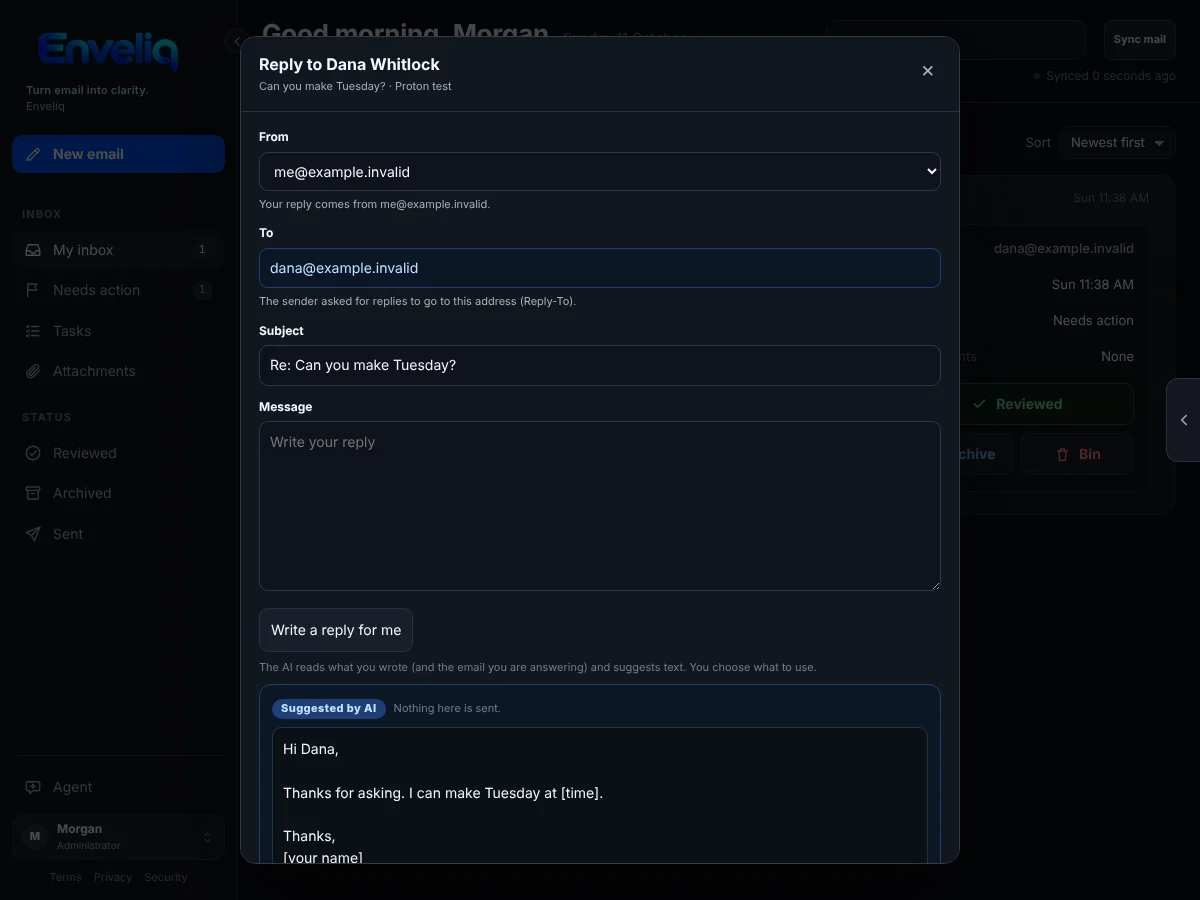
A reply box with a suggested reply in a separate box labelled Suggested by AI. The note beside it says nothing in it is sent.
A suggested reply, clearly labelled, waiting for you to decide.

New email, with people you know

Start typing a name and Enveliq suggests people from your own mail. Attach files, add Cc or Bcc, and it is sent from the mailbox you pick.
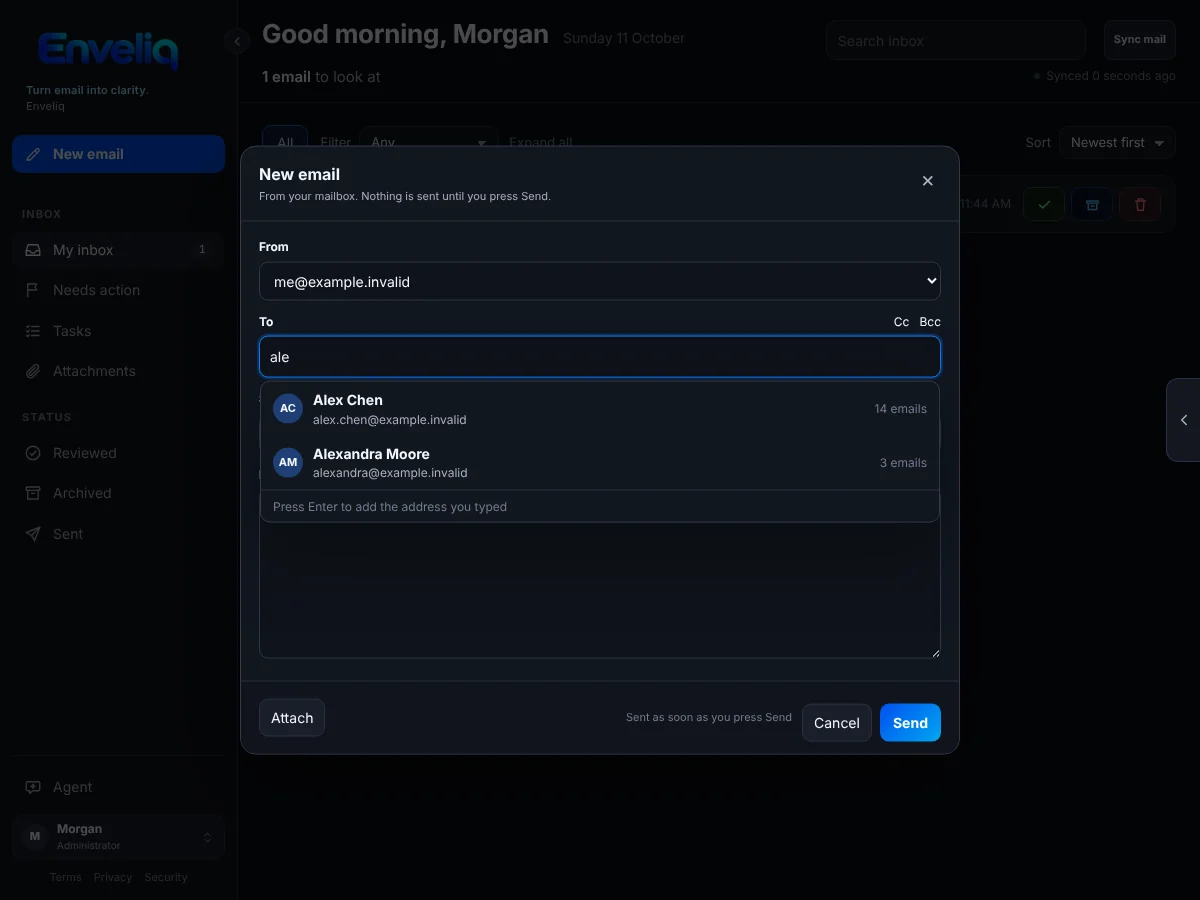
The New email box. Typing ale in the To field suggests two people from the address book, Alex Chen and Alexandra Moore.
Typing "ale" suggests the people you have written to before.

A safe way to read the original

When you want the full email, Enveliq fetches it from your mailbox and shows it in a plain, safe view. Scripts are removed, pictures from the internet are not loaded, and links in the text are not clickable. The full email is not saved.
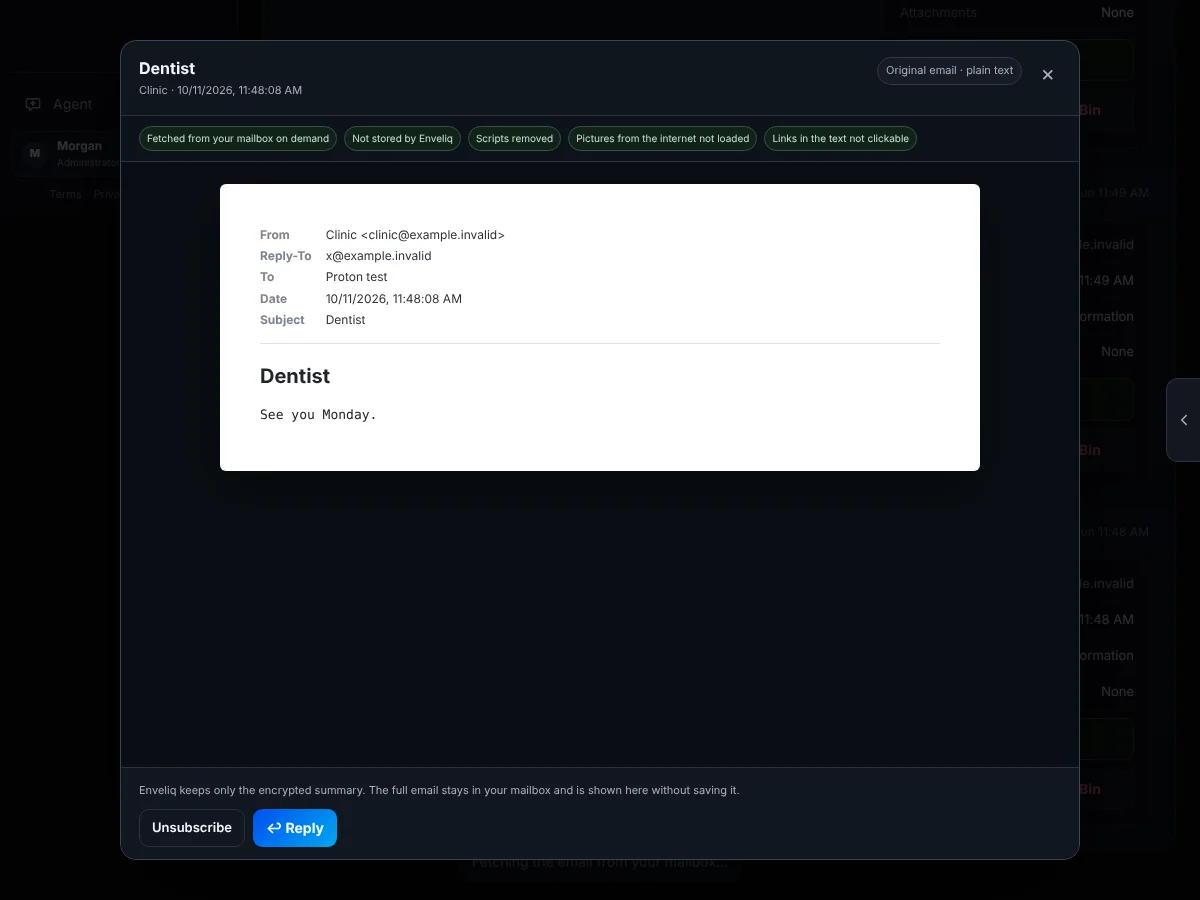
An email from a clinic shown in a plain viewer. A row of labels says it was fetched on demand, not stored, scripts removed, pictures not loaded and links not clickable. Buttons at the bottom offer Unsubscribe and Reply.
The original email, shown safely. It is fetched when you ask and never stored.

Calm on a phone too

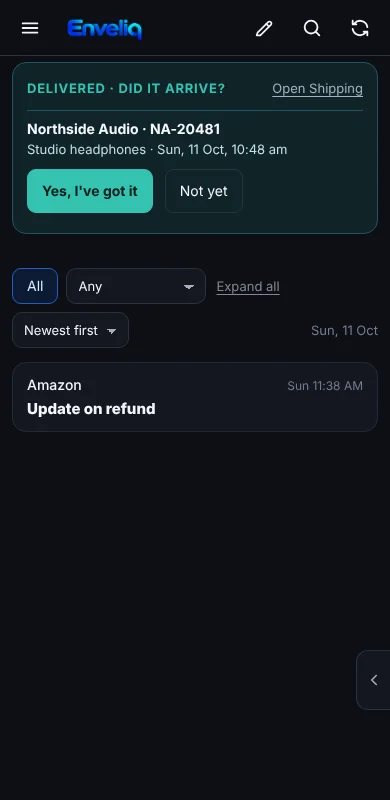
Enveliq works in your phone's browser, with buttons big enough to tap easily. Open it from anywhere with a private connection, without putting it on the open internet.
How to open Enveliq from your phone

Enveliq on a phone, showing a parcel that has arrived and a list with one email.
Enveliq on a phone.

Install Enveliq